














Dynamics 365 QuickBooks Integration
Seamlessly Sync QuickBooks Online with Dynamics 365 CRM Using InoLink
What's InoLink?
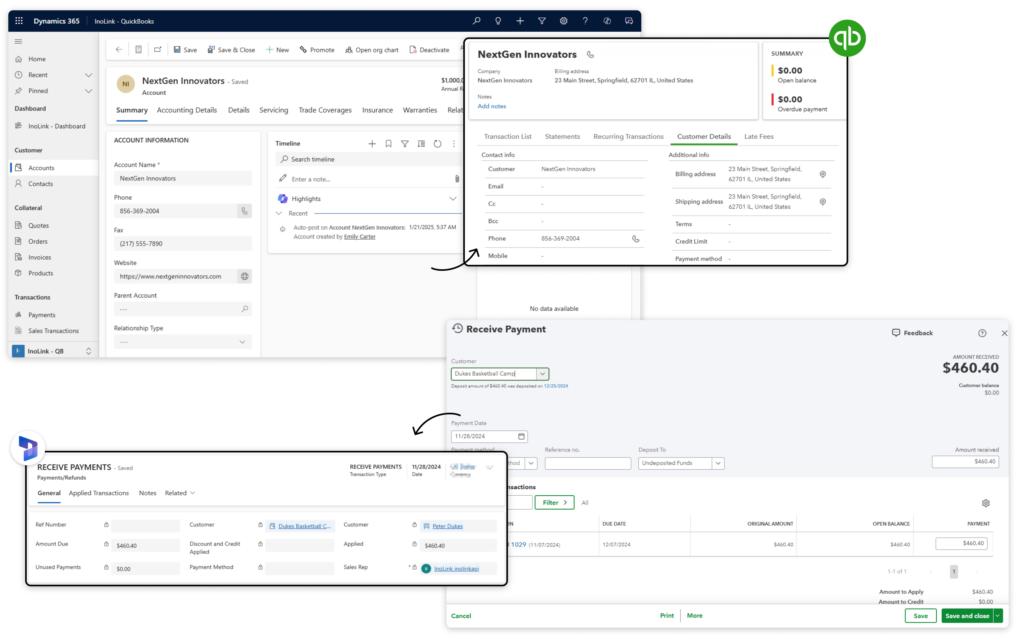
InoLink is a Dynamics 365 CRM and QuickBooks Online integration solution that connects both platforms and synchronizes customer, product, quote, order, invoice, payment, and financial data in real time.
It helps businesses eliminate disconnected systems by automatically syncing data between Dynamics 365 CRM and QuickBooks Online, giving sales, finance, and service teams a complete 360° view of customers and financial information from a single workspace.
Recent Updates
New 2026 Updates: Smarter Dynamics 365 and QuickBooks Integration
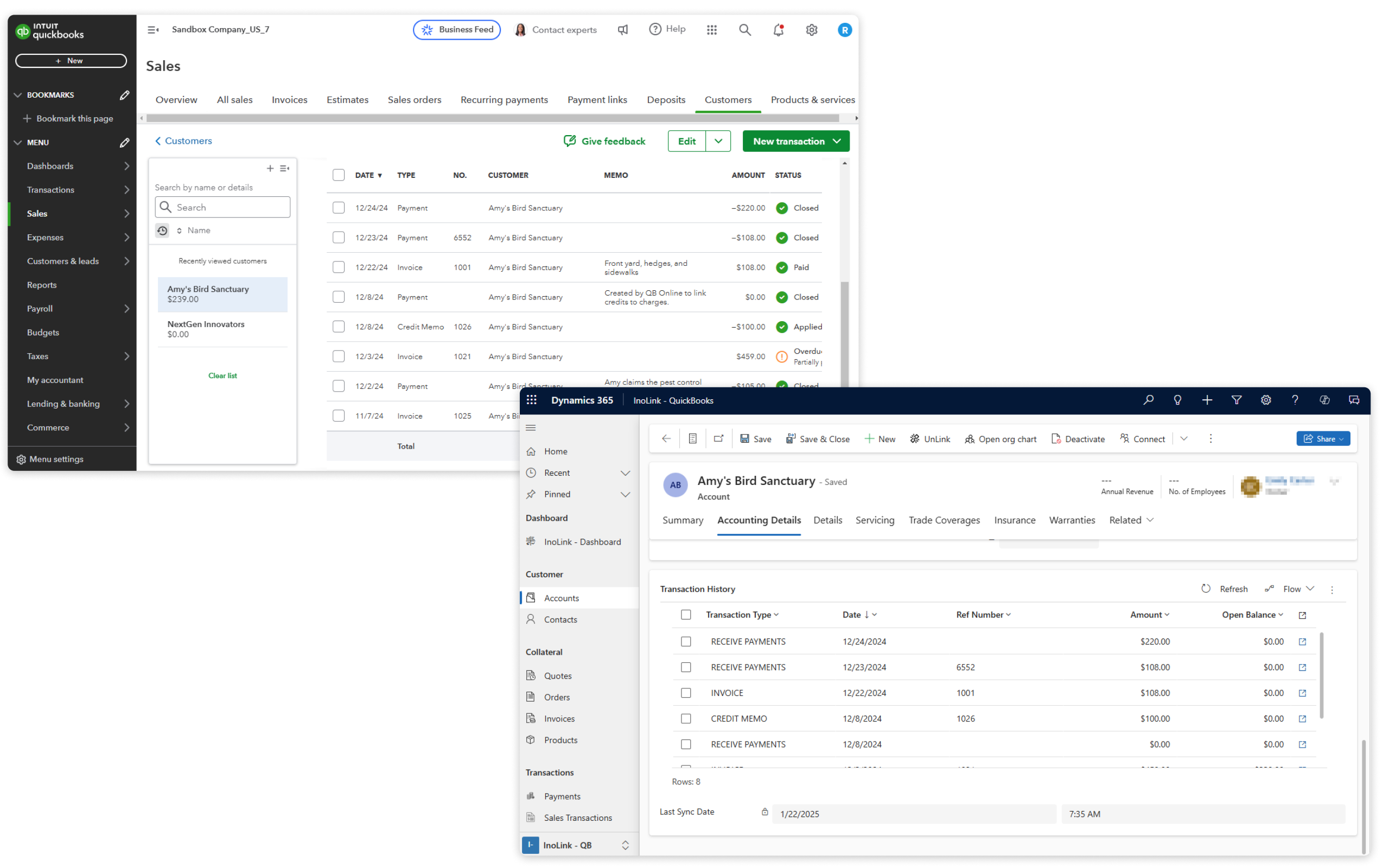
View QuickBooks transaction history, payment details, and customer aging reports directly inside Dynamics 365 CRM.
Automate sales tax calculations for Quotes, Orders, and Invoices in Dynamics 365 CRM before syncing transactions to QuickBooks Online.
Access accounting dashboards within Dynamics 365 CRM to monitor invoices, recent transactions, and top customers using live QuickBooks data.
Information Vault
Benefits of using InoLink
Eliminate duplicate data entry with real-time Dynamics 365 CRM and QuickBooks Online synchronization.
Keep sales, finance, and customer data aligned across Dynamics 365 CRM and QuickBooks Online.
Automate data synchronization to reduce manual work and improve operational efficiency.
Access QuickBooks Online financial data directly inside Dynamics 365 CRM for faster and better decision-making.
Supported On
Dynamics 365 CRM
Online
Features
Here's How QuickBooks and Dynamics 365 CRM Integration Delivers a 360° View of Your Financial Data
Bi-Directional QuickBooks and Dynamics 365 CRM Synchronization
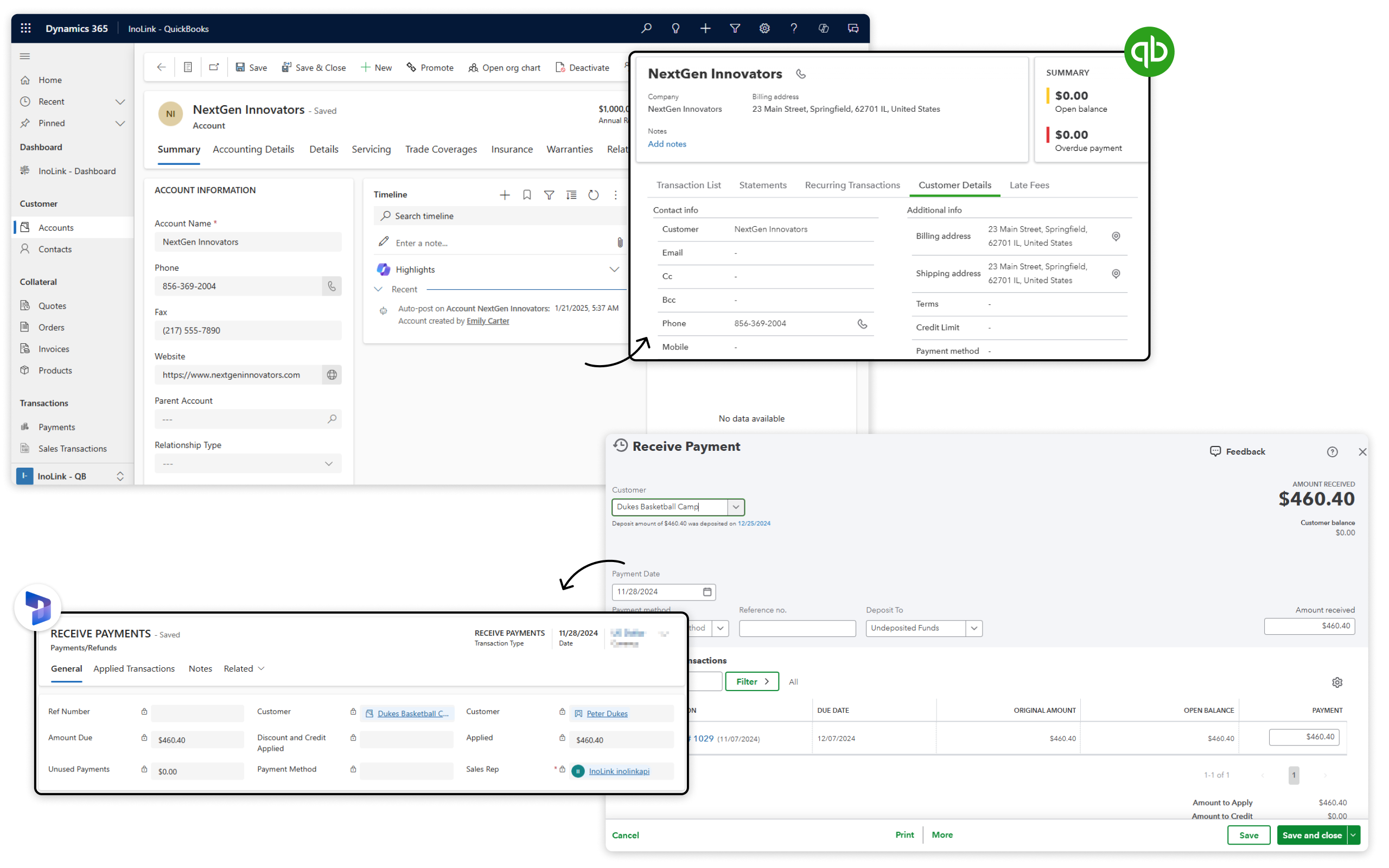
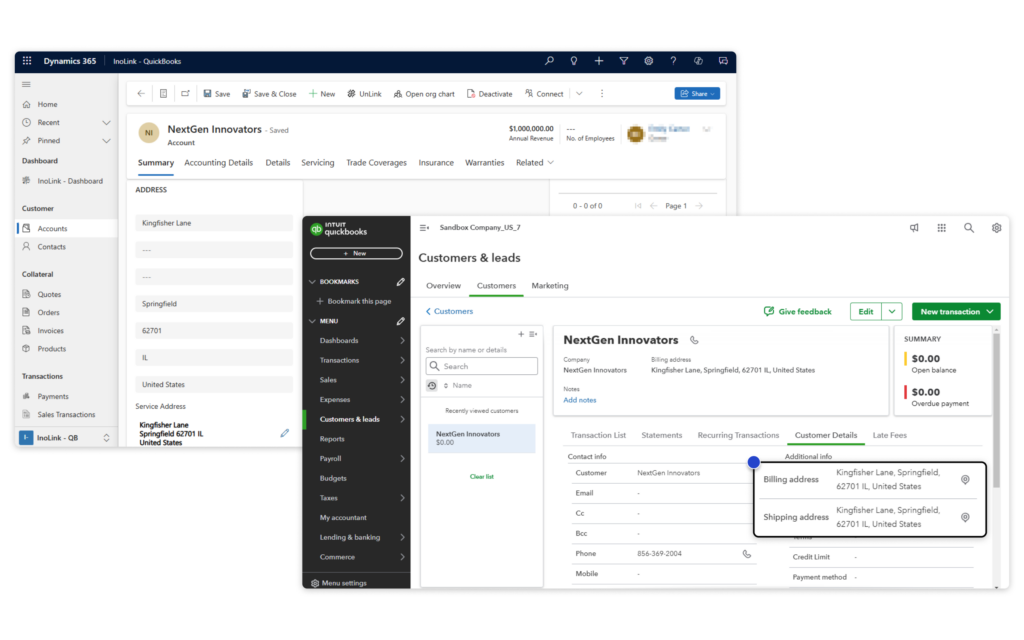
InoLink provides bi-directional synchronization between Dynamics 365 CRM and QuickBooks Online for Accounts, Contacts, Products, and Pricing data. Users can connect existing records across both systems to avoid duplicate entries and maintain accurate business data.
Sync QuickBooks Financial Data with Dynamics 365 CRM
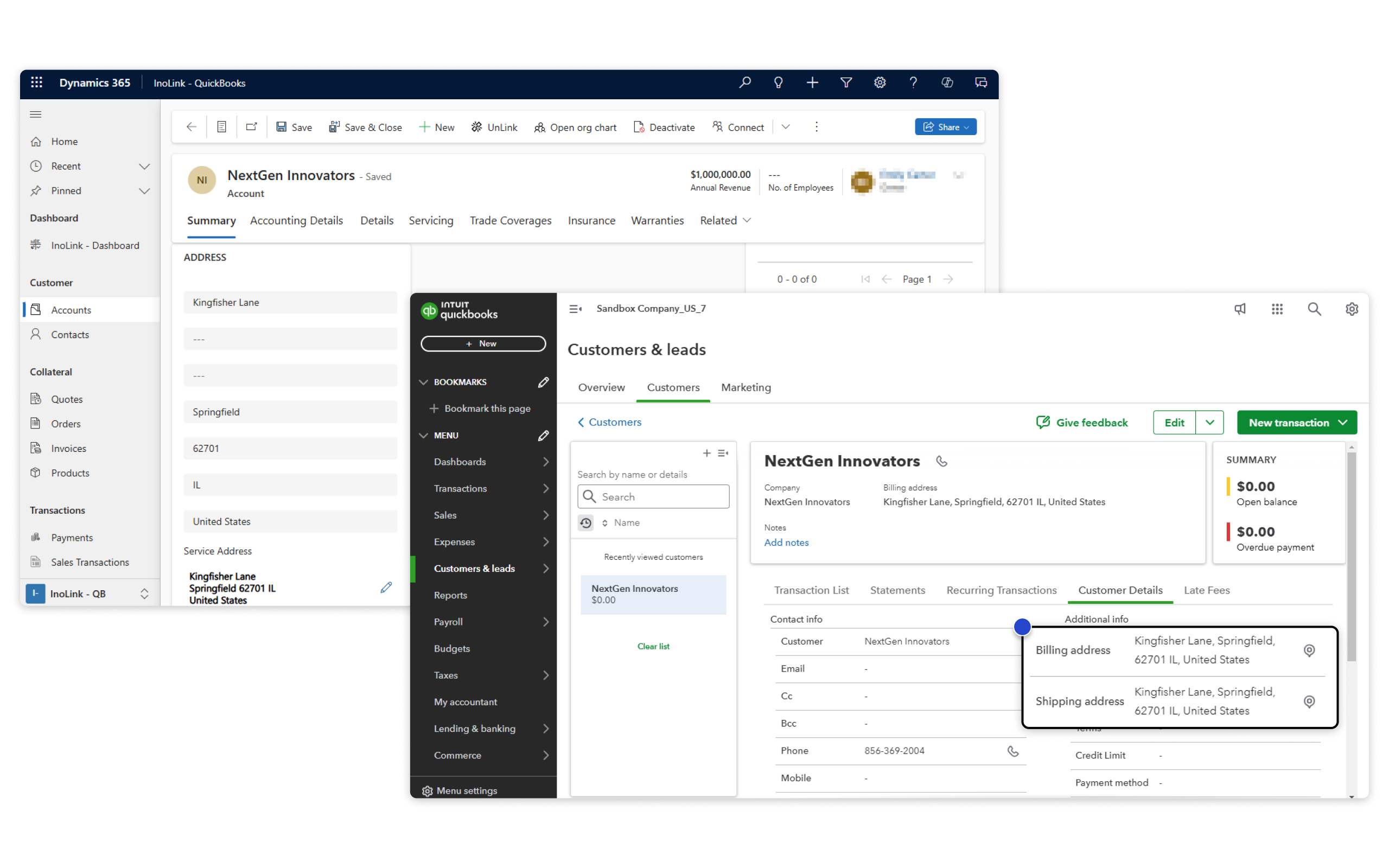
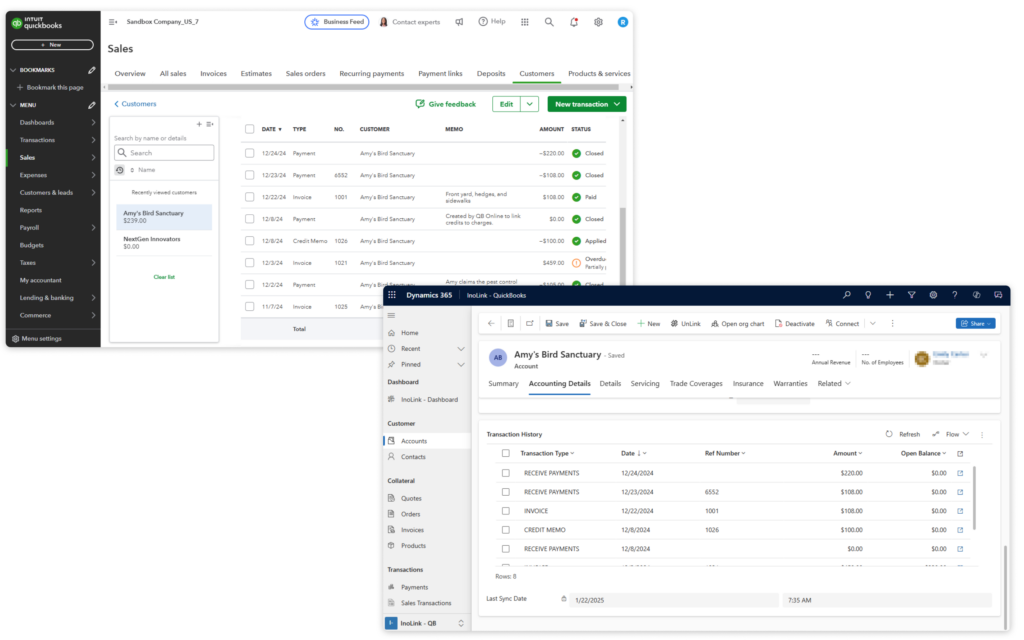
InoLink brings QuickBooks payment details, transaction history, sales records, and customer aging reports directly into Dynamics 365 CRM. Teams get a complete financial and customer view inside CRM to support faster and more informed decision-making.
More Features
Automate Sales Tax Calculation
InoLink automatically calculates sales taxes for Quotes, Orders, and Invoices inside Dynamics 365 CRM before syncing transactions to QuickBooks Online.
Secure QuickBooks Accounting Data
InoLink supports field-level security in Dynamics 365 CRM, helping organizations securely manage and control access to accounting and financial data synced from QuickBooks Online.
Bulk Sync Records Between Dynamics 365 CRM and QuickBooks
Synchronize large volumes of CRM records with QuickBooks Online in a single click, helping teams save time and streamline accounting data management.
Manage Multiple QuickBooks Companies
Sync multiple QuickBooks companies with a single Dynamics 365 CRM instance, eliminating the need for separate CRM environments and simplifying multi-company accounting management.
Accounting Dashboards Inside Dynamics 365 CRM
View recent transactions, pending invoices, customer balances, and top customers directly inside Dynamics 365 CRM using built-in accounting dashboards powered by QuickBooks data.
Sales Transaction Entity for Accounting History Tracking
InoLink includes a Sales Transaction entity that stores synced QuickBooks transaction history inside Dynamics 365 CRM, giving users easy access to accounting records and financial activity from CRM.
testimonials
What Our Customers Are Saying?
Our Blogs
How to Integrate Dynamics 365 and QuickBooks: A Complete Guide for 2026
Integrating Dynamics 365 with QuickBooks eliminates duplicate data entry, enables real-time…
Dynamics 365 Online QuickBooks Integration: Top Problems It Solves for Businesses
If you’re juggling between QuickBooks and Dynamics 365 CRM, you’re not alone. Businesses using both platforms…
QuickBooks Integration with Dynamics 365 CRM: Enable Data Automation!
InoLink powers seamless QuickBooks Integration Dynamics 365, automating data sync between the two platforms….
Frequently Asked Questions
InoLink integrates Dynamics 365 CRM with QuickBooks Online through real-time synchronization of customers, contacts, products, quotes, orders, invoices, payments, and accounting data between both platforms.
InoLink supports bi-directional synchronization of Accounts, Contacts, Products, Prices, Quotes, Orders, Invoices, payments, transaction history, and customer aging data between Dynamics 365 CRM and QuickBooks Online.
Yes. InoLink provides real-time synchronization between Dynamics 365 CRM and QuickBooks Online so updates made in CRM are automatically reflected in QuickBooks.
Yes. InoLink enables automatic and real-time invoice synchronization from Dynamics 365 CRM to QuickBooks Online, helping reduce manual data entry and improve accounting accuracy.
Yes. InoLink supports automated sales tax calculation for Quotes, Orders, and Invoices directly inside Dynamics 365 CRM before transactions are synchronized with QuickBooks Online. This helps improve accounting accuracy and reduces manual tax calculation effort
Yes. InoLink supports multi-company QuickBooks integration, allowing organizations to sync multiple QuickBooks Online companies with a single Dynamics 365 CRM environment.
Integrating Dynamics 365 CRM with QuickBooks Online helps businesses automate accounting workflows, reduce manual processes, improve sales and finance collaboration, minimize errors, and gain a 360° view of customer financial data.
Sync your sales and accounting data seamlessly between Dynamics 365 CRM and QuickBooks
